Tasks · Notes · Calendar · Files · Links
Build your second brain.
Capture everything on your mind in seconds, then organize it into the areas and projects of your life. Offline-first. Private by design.
- Works 100% offline
- No account required
- Free on iOS & Android
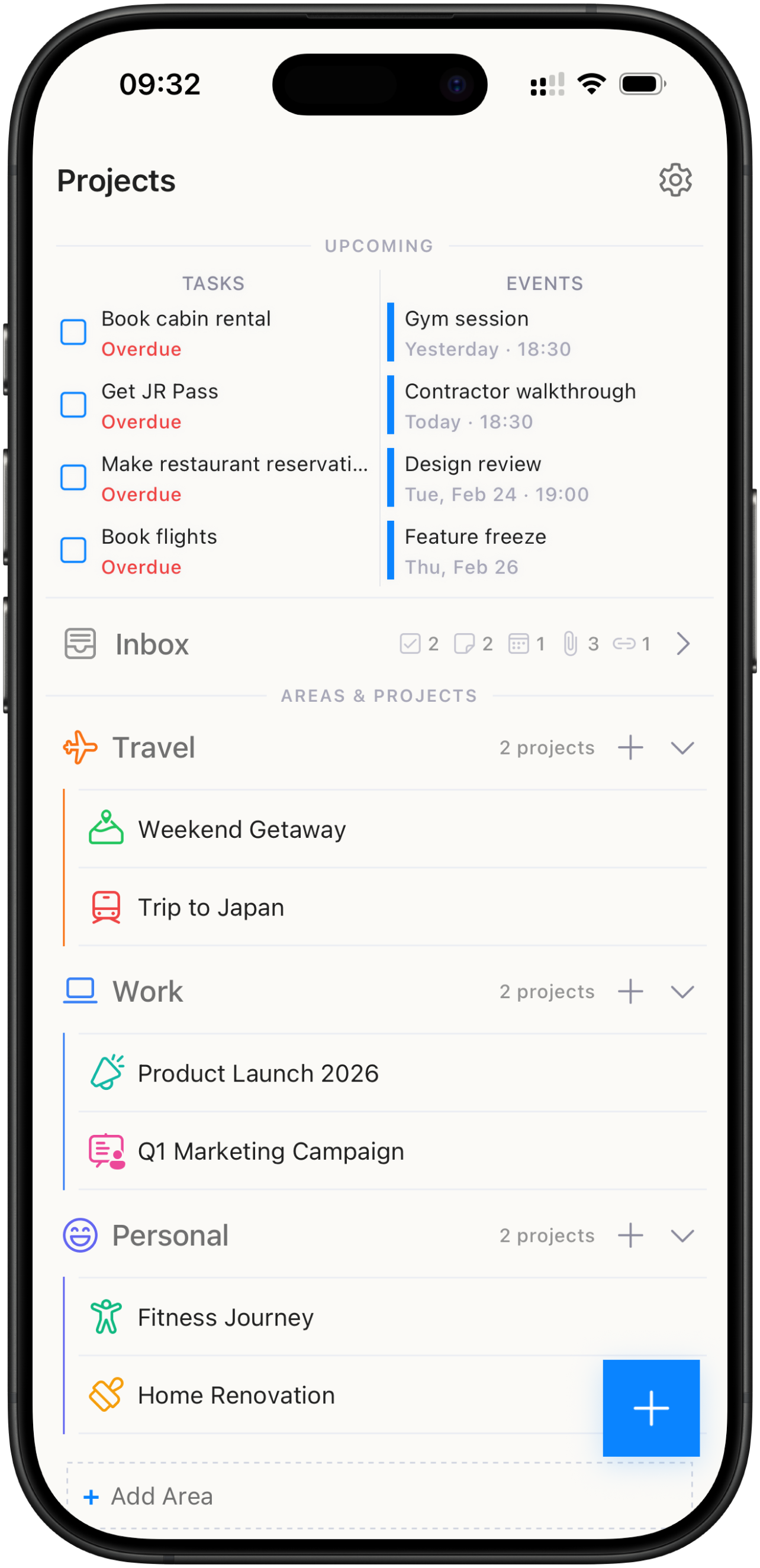
Everything in one place
Five types of content. One home.
01 — Tasks
Stay on top of everything.
Break work into subtasks, set priorities and due dates, and let repeating tasks come back on their own schedule. Reminders make sure nothing slips.
- Subtasks
- Priorities
- Repeating tasks
- Reminders
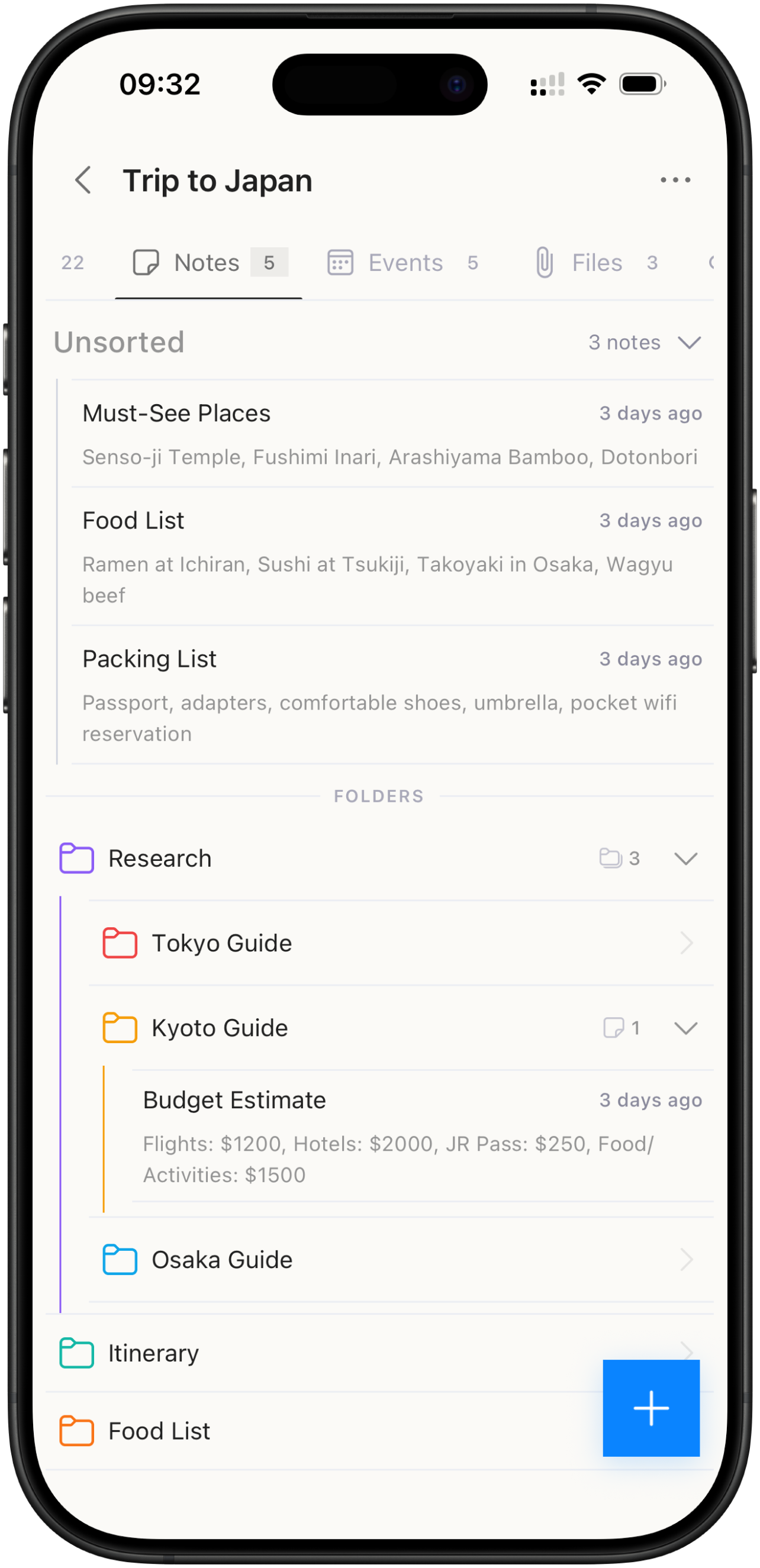
02 — Notes
Capture every idea.
A real rich-text editor with headings, checklists, code blocks, images, and links. Your thoughts deserve more than a plain text field.
- Rich text
- Checklists
- Code blocks
- Images & links
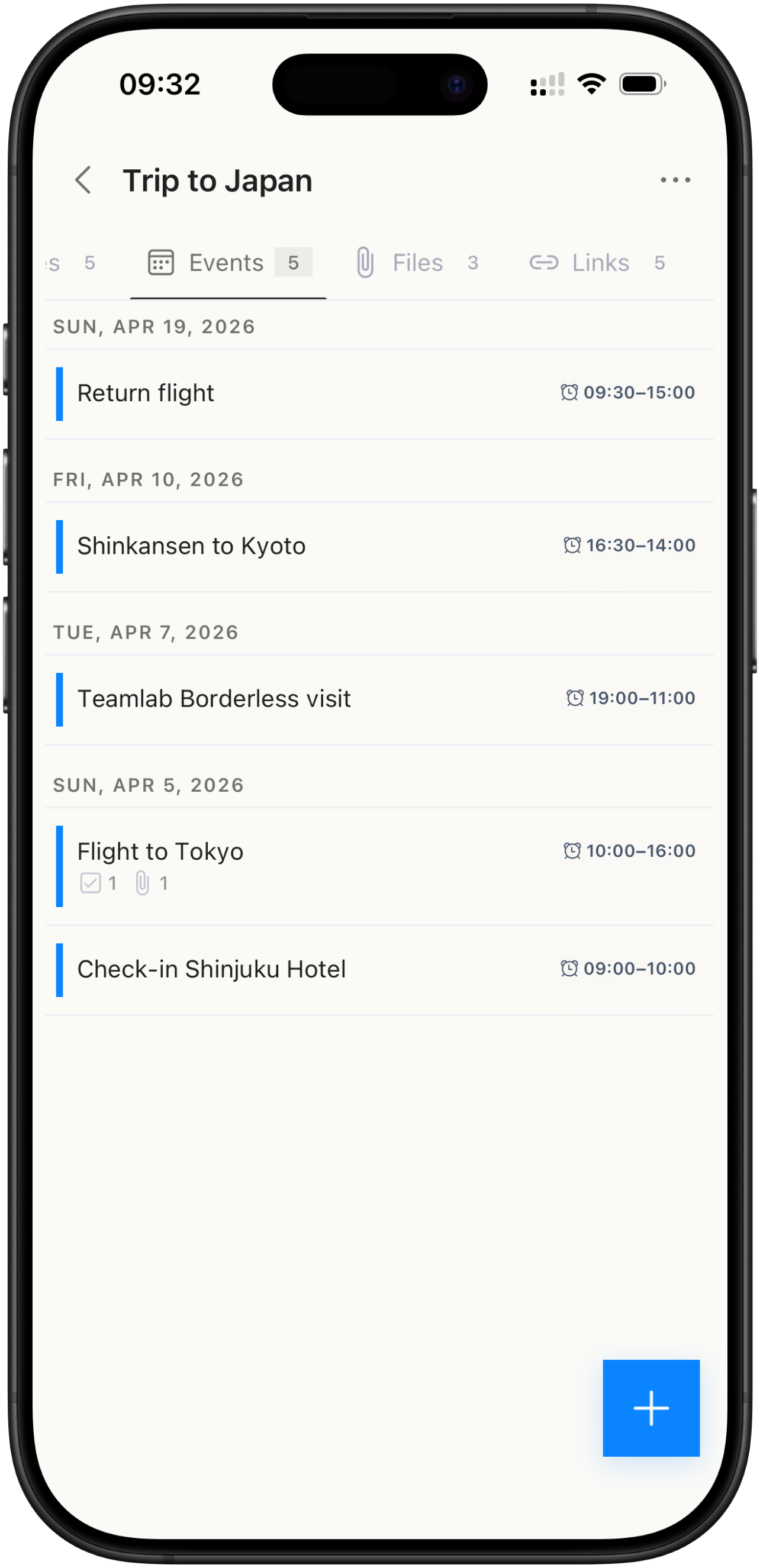
03 — Events
Own your schedule.
Events live next to the tasks and notes they belong to — with repeating rules, custom colors, and reminders that respect time zones.
- Repeating events
- Custom colors
- Time zones
- Reminders
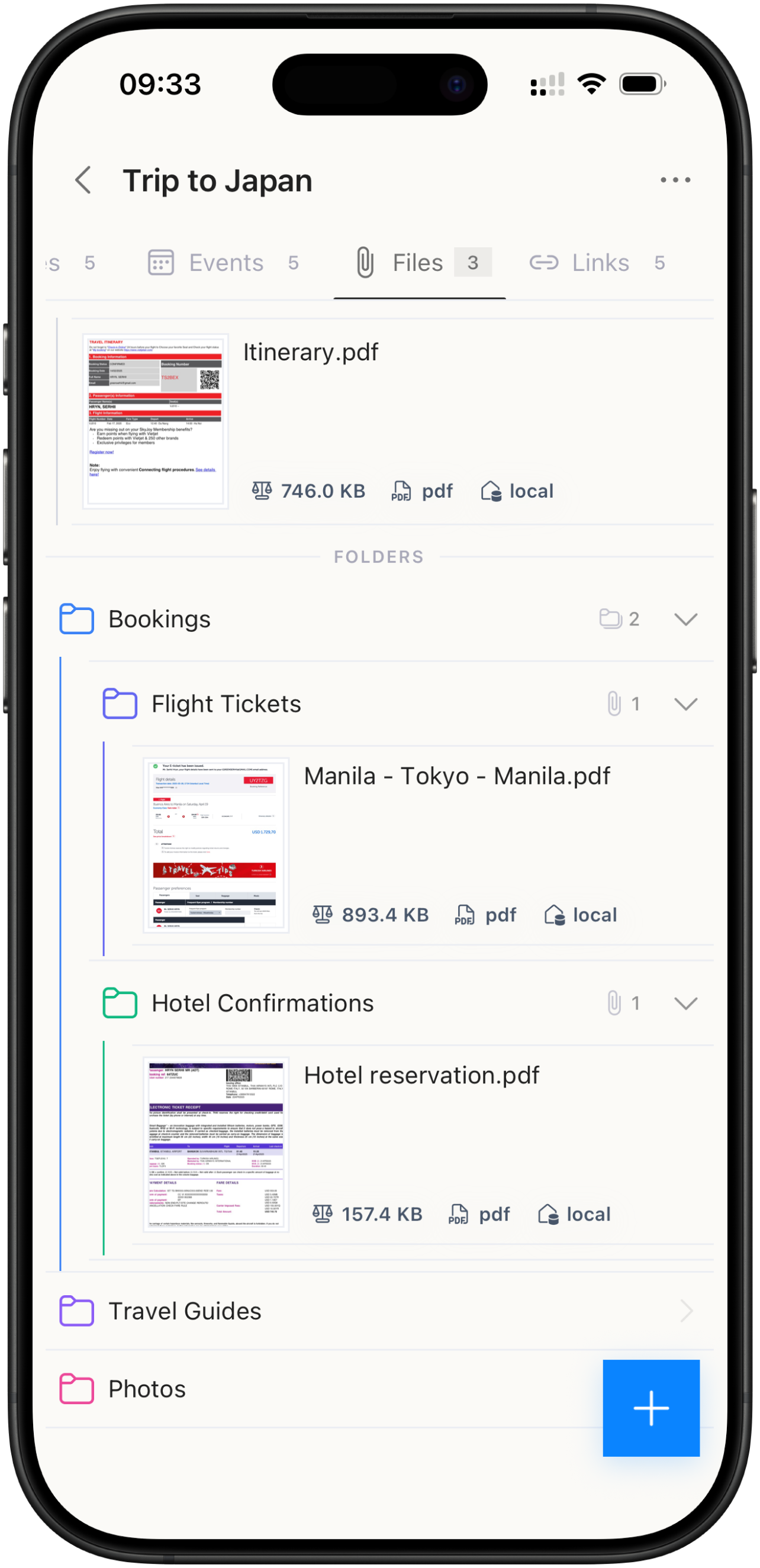
04 — Files
Documents, where you need them.
Attach photos, PDFs, and documents straight to a project. Smart compression keeps them light, thumbnails keep them findable.
- PDFs & photos
- Smart compression
- Thumbnails
- Camera capture
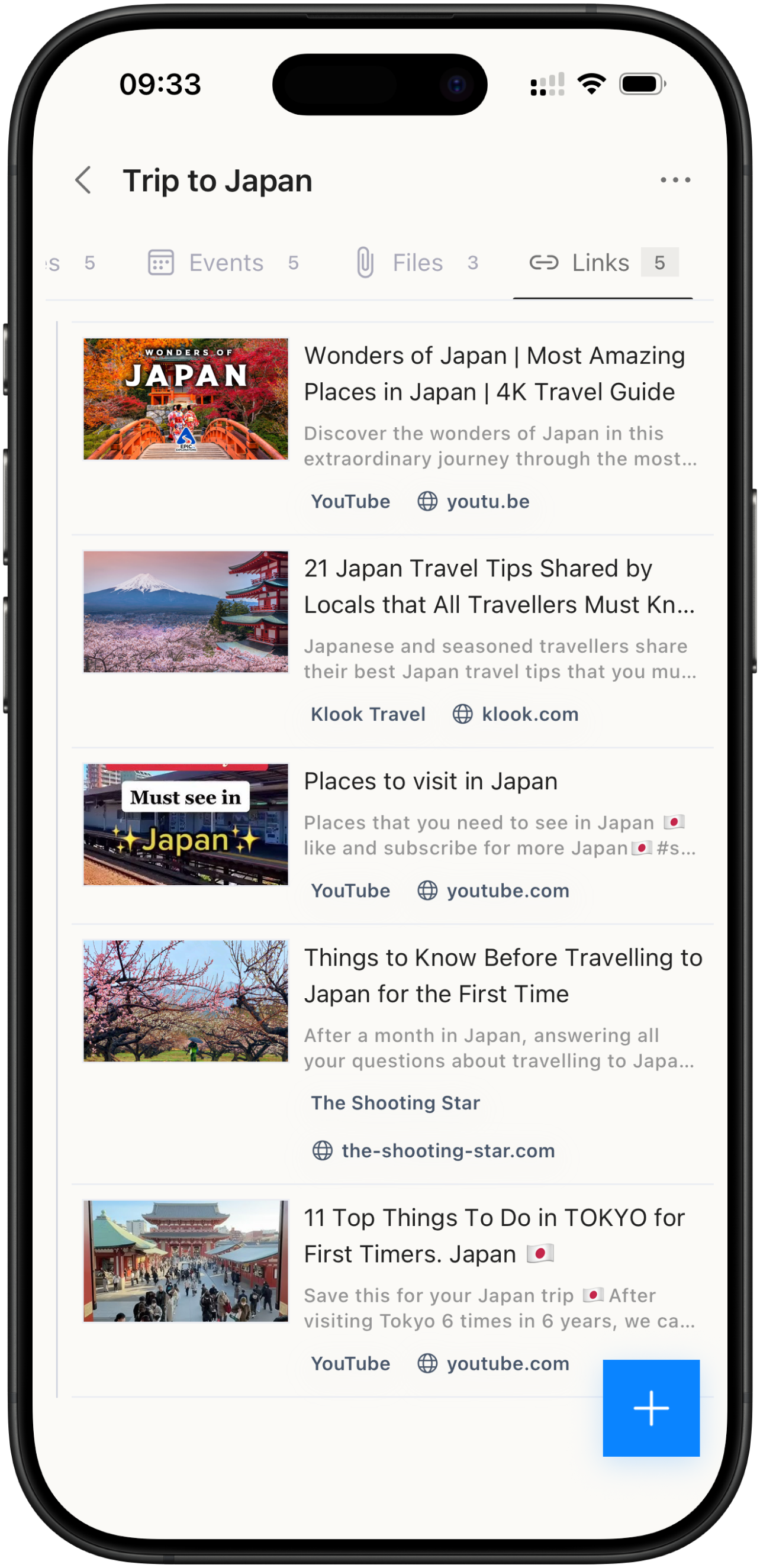
05 — Links
Save what inspires you.
Paste a URL and Brainee fetches the title, preview image, and favicon automatically. Build a research library that lives inside your projects.
- Rich previews
- Auto titles
- Favicons
- Research library
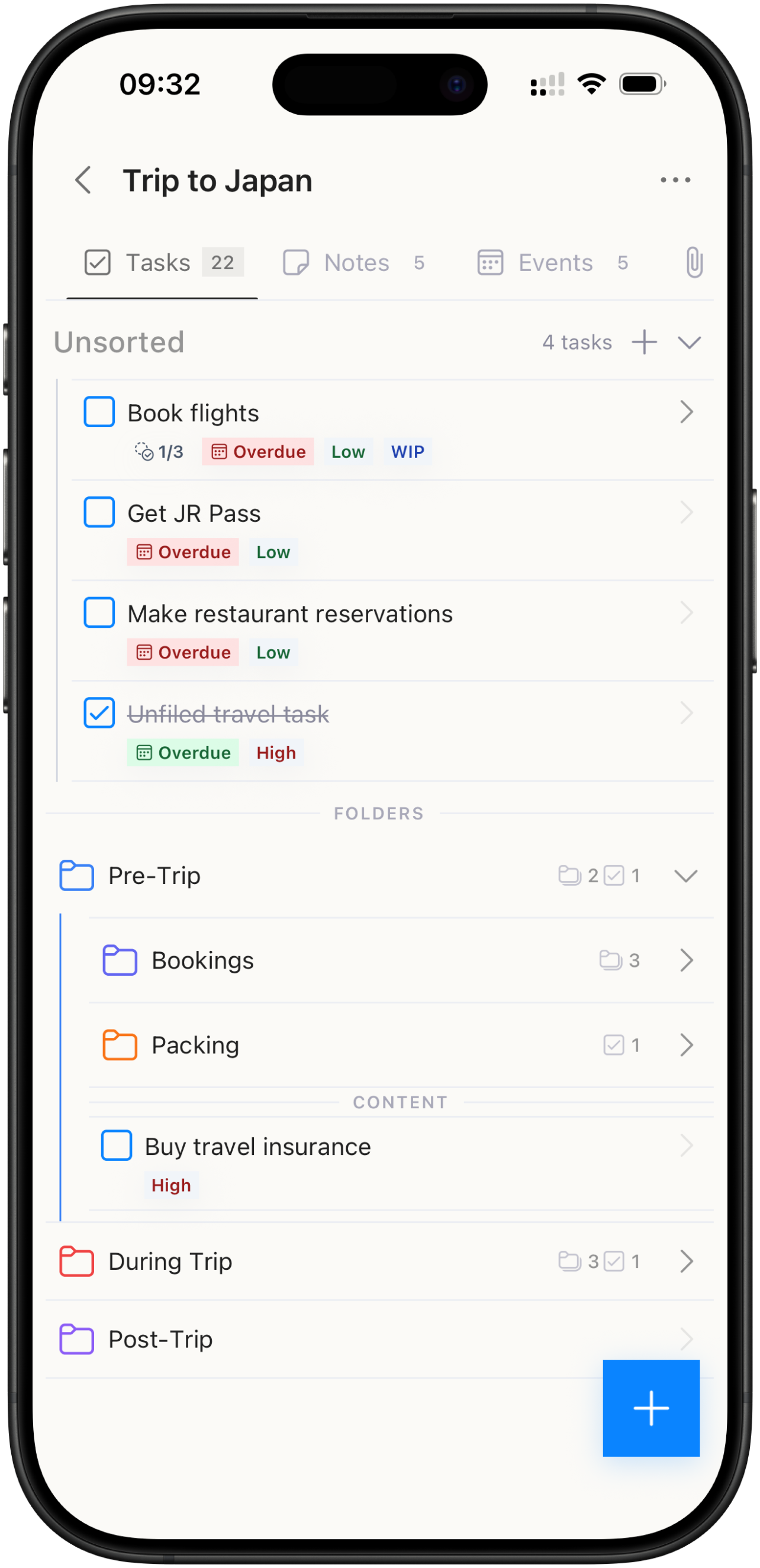
Everything in one place
Five types of content. One home.
Stop scattering your life across five different apps. Every project in Brainee holds tasks, notes, events, files, and links — side by side.
01 — Tasks
Stay on top of everything.
Break work into subtasks, set priorities and due dates, and let repeating tasks come back on their own schedule. Reminders make sure nothing slips.
- Subtasks
- Priorities
- Repeating tasks
- Reminders
02 — Notes
Capture every idea.
A real rich-text editor with headings, checklists, code blocks, images, and links. Your thoughts deserve more than a plain text field.
- Rich text
- Checklists
- Code blocks
- Images & links
03 — Events
Own your schedule.
Events live next to the tasks and notes they belong to — with repeating rules, custom colors, and reminders that respect time zones.
- Repeating events
- Custom colors
- Time zones
- Reminders
04 — Files
Documents, where you need them.
Attach photos, PDFs, and documents straight to a project. Smart compression keeps them light, thumbnails keep them findable.
- PDFs & photos
- Smart compression
- Thumbnails
- Camera capture
05 — Links
Save what inspires you.
Paste a URL and Brainee fetches the title, preview image, and favicon automatically. Build a research library that lives inside your projects.
- Rich previews
- Auto titles
- Favicons
- Research library
Calendar
Your week on one canvas.
A full calendar, inside your second brain. Drag directly on the timeline to sketch out your week — and every event stays linked to the project it belongs to.
Five views
Day, 3-Day, Week, Month, and Year — pick your altitude.
Direct manipulation
Drag to create. Drag to move. Stretch to resize.
Repeating events
Flexible recurrence rules, with editable single occurrences.
Time-zone smart
A 9 AM meeting in Tokyo stays at 9 AM Tokyo — wherever you are.
How it works
One system for everything
Areas, projects, and five powerful content types. Here's how it all fits together.
Organize by life, not by app
Start with areas of your life. Break them into projects. Go deeper with folders. Every level holds tasks, notes, events, files, and links — all in one place.
Five types. One project.
Everything a project needs, together. No switching between apps.
Tasks
Track what needs doing
Notes
Capture every detail
Events
Know when it happens
Files
Keep documents handy
Links
Save what you find
Built for how you actually think
Inbox
Toss in any task, note, or link. Sort it into the right project when you're ready.
Tags
Label items across projects. Create your own tags and use them to organize items.
Linked Items
Link a task to a note, a file to an event. Brainee remembers the relationships.
From real second brains
One app for every corner of your life
Quick capture
Capture at the speed of thought.
Ideas don't wait — and neither should you. Get anything into Brainee from anywhere on your phone. It lands in your Inbox, ready to be sorted when you are.
Home Screen widgets
See upcoming tasks and events at a glance — and check things off without even opening the app.
Share from any app
Send links, photos, PDFs, and text straight to Brainee through the native share sheet.
Quick Actions
Long-press the app icon to add a task, note, or event — or snap a photo — in one tap.
Everything lands in your Inbox. Organize it later — or never.
Privacy
Private by design.
Everything you write stays on your device — not on someone else's server.
0
accounts required
0
ads & trackers
0
servers holding your data
100%
yours, always
Offline-first
Works without internet. Your data is always accessible, no connection required.
No account needed
Start using Brainee immediately. No sign-up, no email, no passwords.
No tracking
Zero analytics, zero telemetry. We don't know what you do in the app.
Local storage
Everything is stored on your device. Your notes never touch our servers.
Pricing
Simple, honest pricing
Start for free. Upgrade when you're ready for more.
Free
Everything you need to get started
- Tasks, notes, events, files & links
- Calendar with all five views
- 2 areas · 3 projects to get started
- Tags, folders & linked items
- Widgets & quick capture
- Works fully offline
Premium
or $44.99/yearSave 25%
For power users who want no limits
- Everything in Free
- Unlimited areas, projects & items
- Unlimited reminders
- Files up to 100 MB
- Priority support
Prices in USD. Cancel anytime through the App Store or Google Play.
FAQ
Frequently asked questions
Everything you might want to know before diving in.
Still have a question?
Get in touch →Is Brainee really free?
Do I need to create an account?
Does it work offline?
Does Brainee have a calendar?
Can I set reminders?
Are there home screen widgets?
What devices does Brainee support?
How is my data stored?
What makes Brainee different from other note apps?
Can I cancel Premium anytime?

Ready to build your second brain?
Download free on iOS and Android. No account, no setup — capture your first thought in under a minute.
Free · No account · Works offline